All the Features You Need
From PM planning to employee timesheets, everything for professional services financial management.
Timesheets
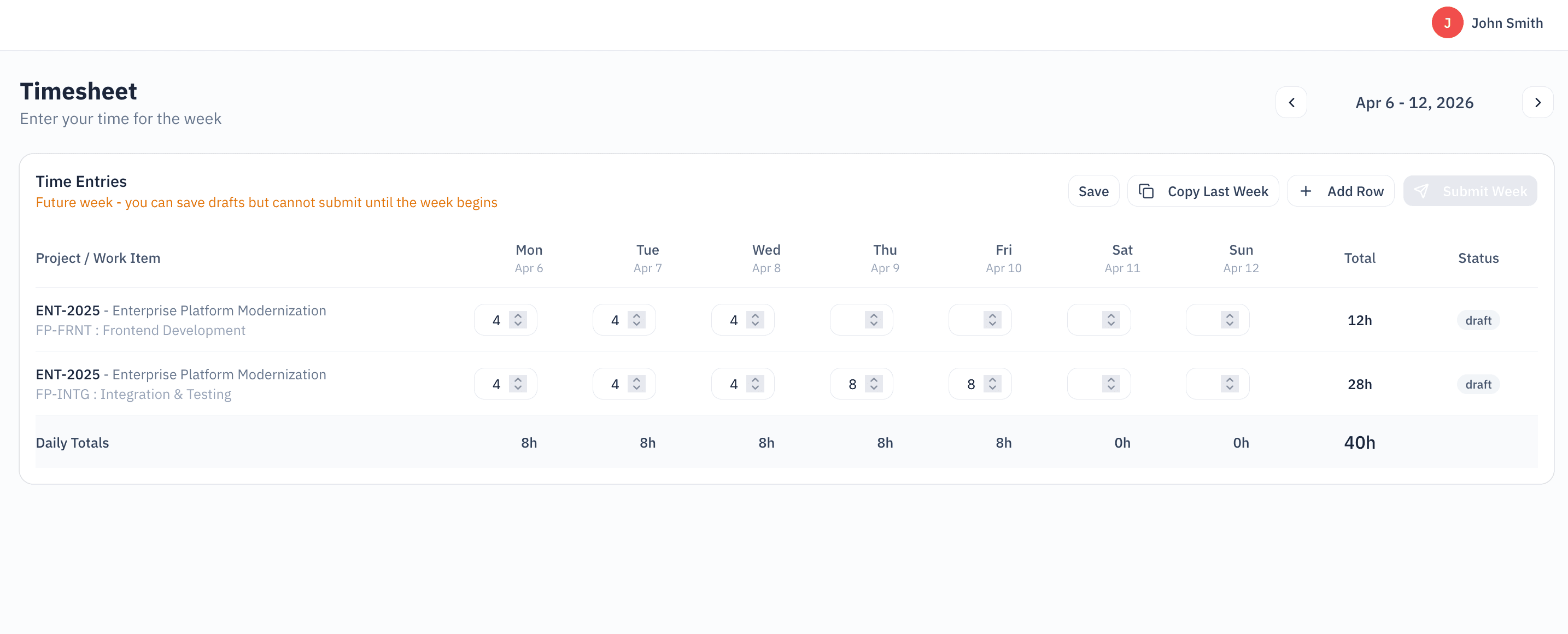
Simple, fast time entry that your team will actually use. Weekly view with project assignments and one-click submission.
| Feature | Description |
|---|---|
Weekly View | Enter time for the entire week in one screen. See all your project assignments at a glance. |
Project & Work Item Selection | Only see projects you're assigned to. Select work items within each project for accurate tracking. |
Quick Entry | Click and type hours. Add notes when needed. No complex forms or unnecessary fields. |
Copy Previous Week | Working on the same projects? Copy last week's entries and adjust as needed. |
Submit for Approval | One-click submission when your week is complete. Track approval status in real-time. |
Timesheet History | View past weeks and their approval status. See your time entry patterns over time. |
Submission Reminders | Automatic reminders to submit timesheets. Never miss a deadline again. |
Hours Summary | See total hours by day and week. Track your billable vs. non-billable time. |
Approvals
Streamlined approval workflow for project managers. Review and approve timesheets quickly.
| Feature | Description |
|---|---|
Pending Queue | See all timesheets awaiting your approval in one list. Approve or return with comments. |
Bulk Approval | Approve multiple timesheets at once. Save time on weekly approvals. |
Line-by-Line Review | Drill into individual entries. See project, work item, and notes for each line. |
Audit Trail | Full history of submissions, approvals, and rejections. Know who approved what and when. |
Project Management
Complete project financial visibility from setup to reporting. Everything you need in one place.
Overview & Budget
Project Dashboard
At-a-glance view of project health: budget consumed, hours logged, profitability metrics.
Budget Tracking
Set project budgets in hours or dollars. Track consumption in real-time.
Timeline Management
Define project start and end dates. Track progress against milestones.
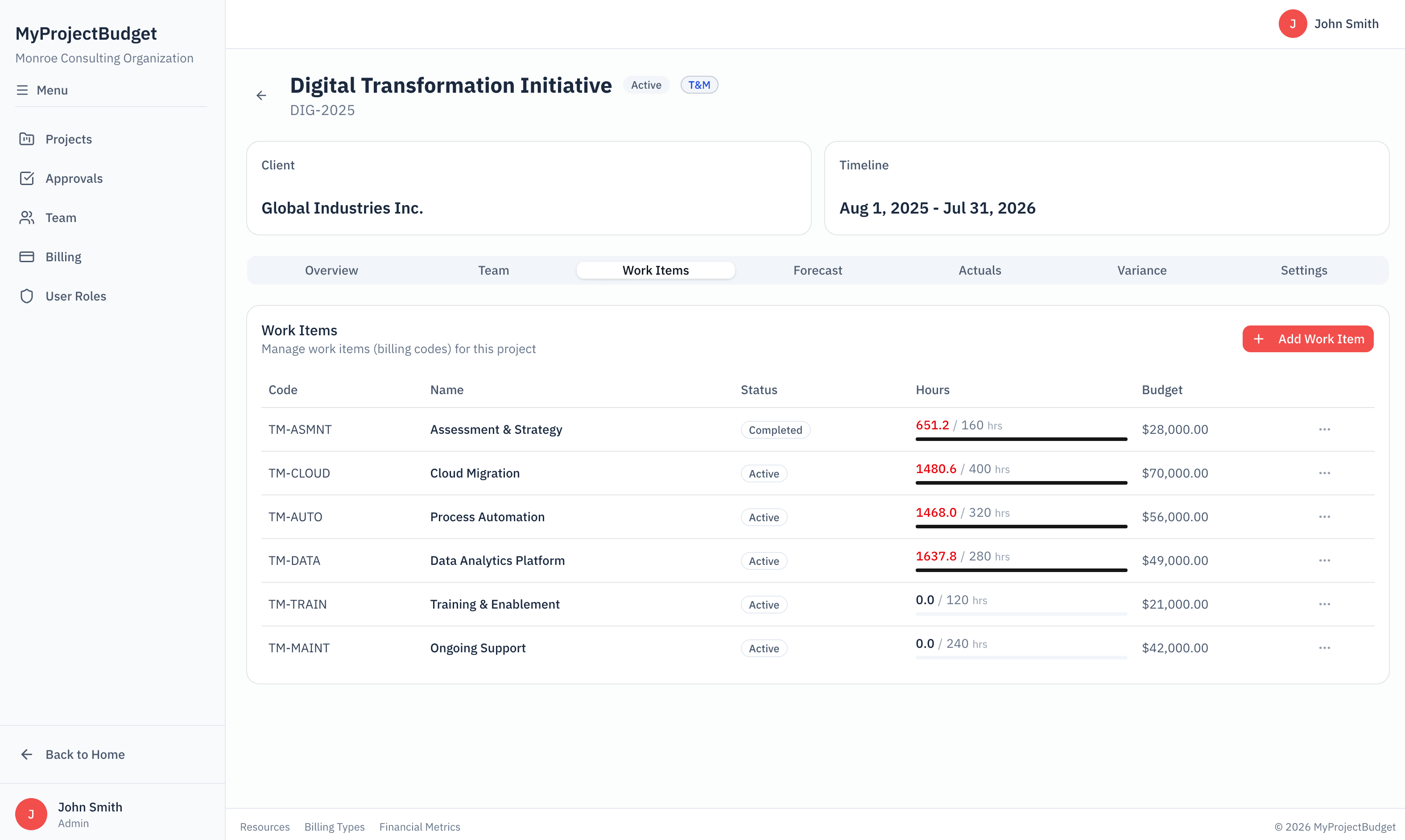
Work Items
Break projects into deliverables or phases. Track time and budget at each level.
Team & Rates
Team Assignments
Assign team members to projects with specific roles. Control who can log time to what.
Billing Rates
Set rates per person, per role, or per project. Support rate changes with effective dates.
Resource Allocation
Define allocation percentage and date ranges for each team member.
Role Management
Define standard roles with default billing rates. Apply across projects consistently.
Planning & Forecasting
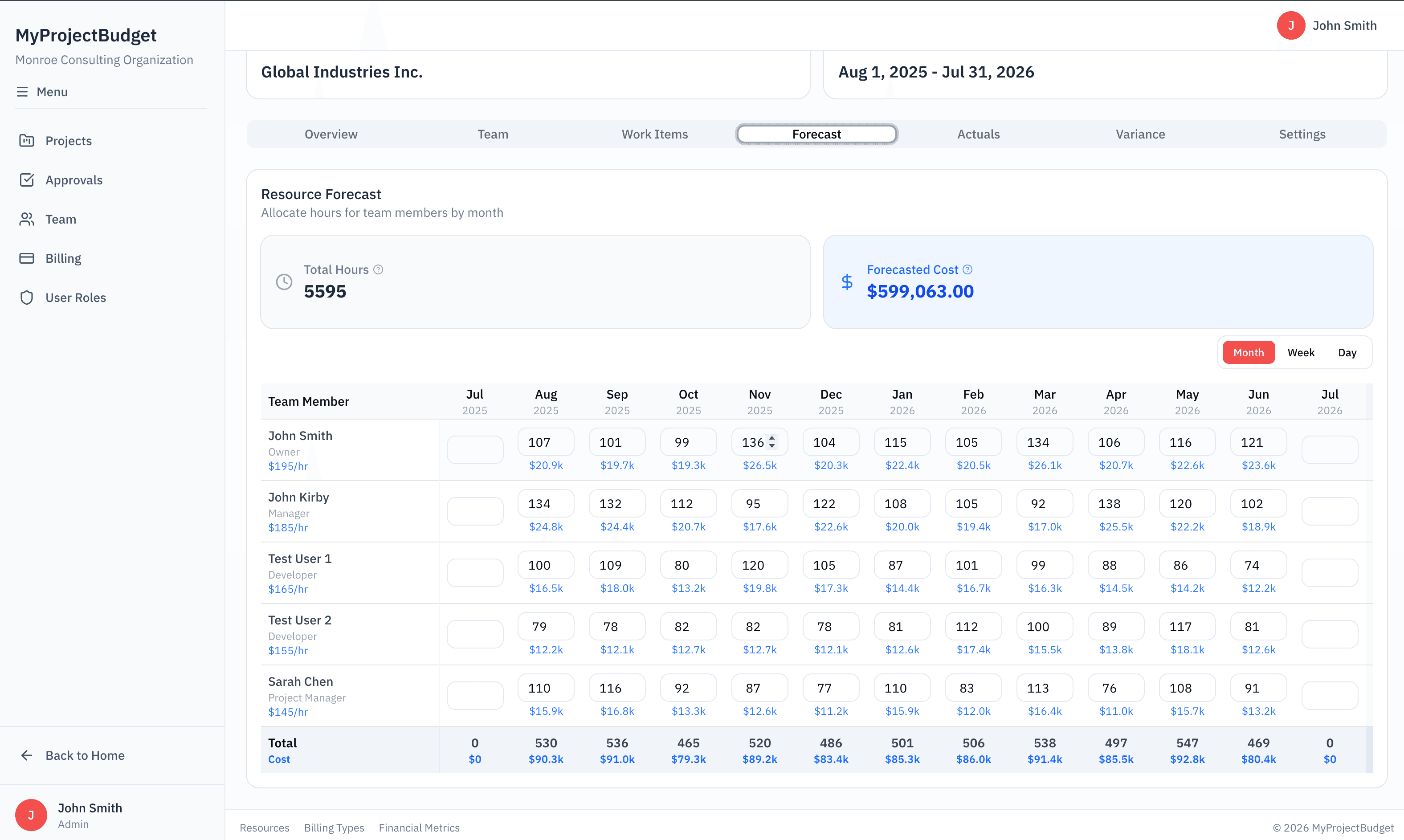
Monthly Forecasting
Forecast hours and revenue by month. Adjust as project scope evolves.
Baseline Snapshots
Lock in baseline budgets. Compare original plan vs. current forecast vs. actuals.
Capacity Planning
See team availability against planned work. Identify over-allocation early.
Deliverable Tracking
Define deliverables with budgeted hours and dates. Track completion status.
Actuals & Reporting
Actuals Dashboard
View logged hours by person, by day, by work item. Drill down into any dimension.
Burn-Down Charts
See budget consumption over time. Spot trends before they become problems.
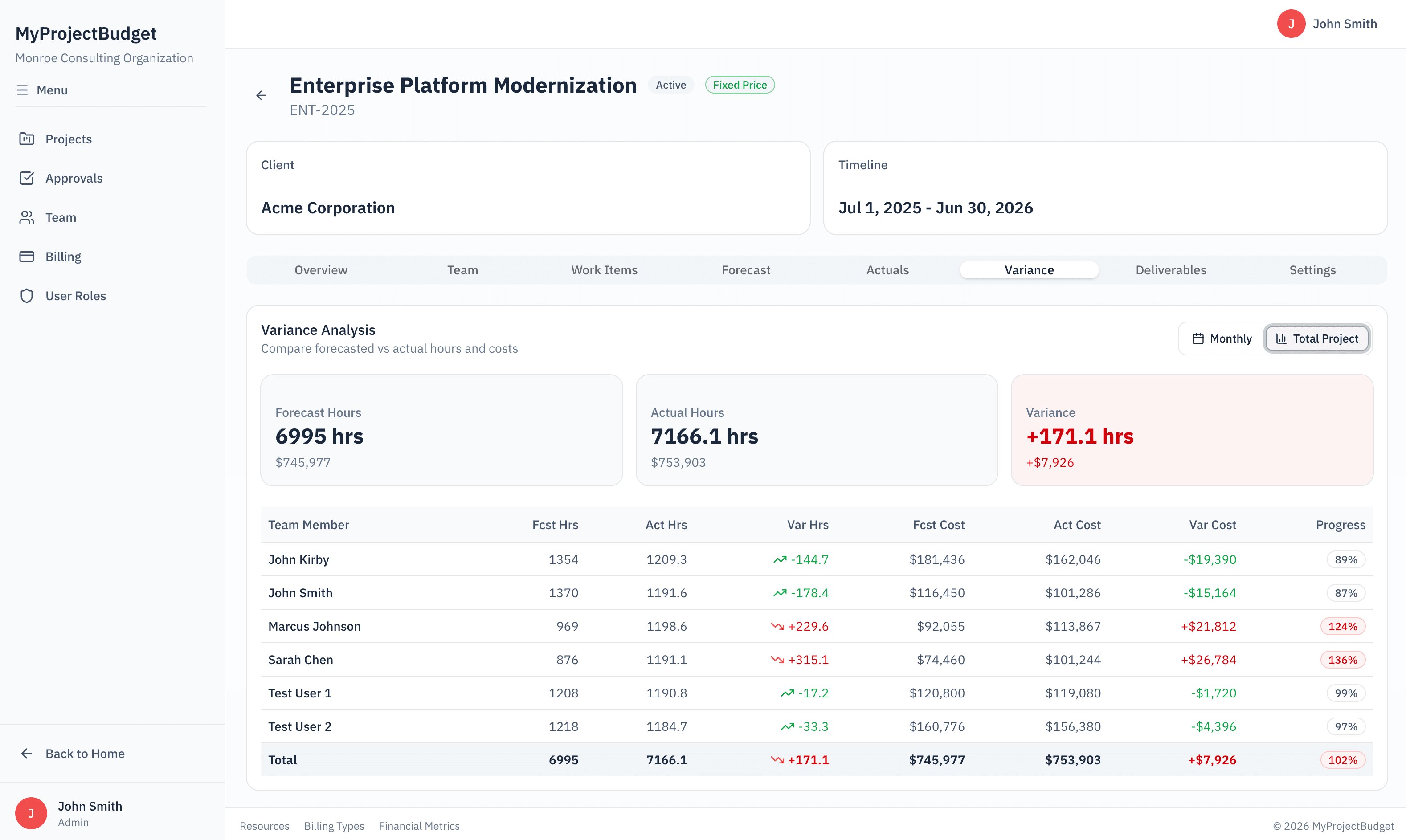
Variance Analysis
Compare forecast to actuals. Understand where and why projects vary from plan.
Profitability View
See revenue vs. cost at the project level. Know your true margins.
See It In Action